
So kaufen Sie PYUSD über PayPal und übertragen es
1. Gehen Sie zu Finanzen → Krypto und klicken Sie anschließend auf die Schaltfläche „Kaufen“.
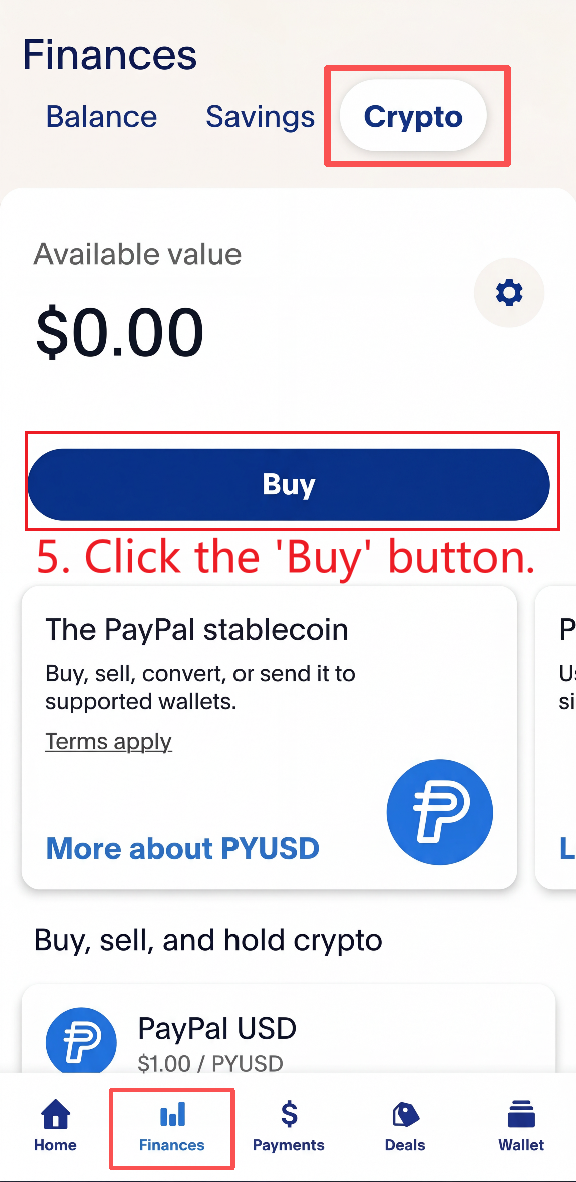
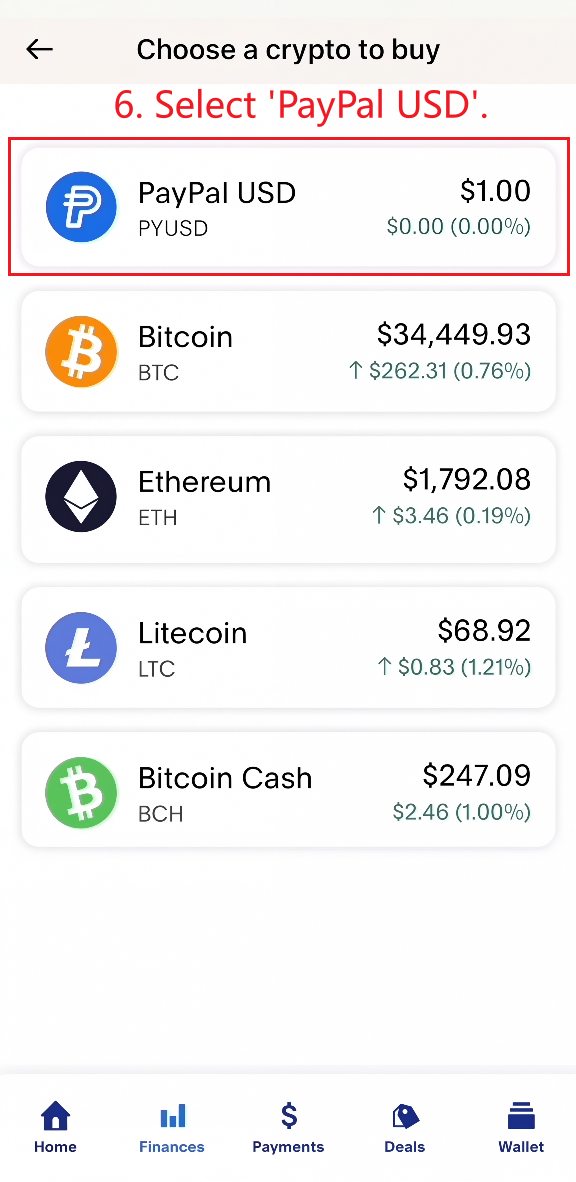
2. Wählen Sie „PayPal USD“ aus und geben Sie den für Ihre Bestellung erforderlichen EXAKTEN USD-Betrag ein.
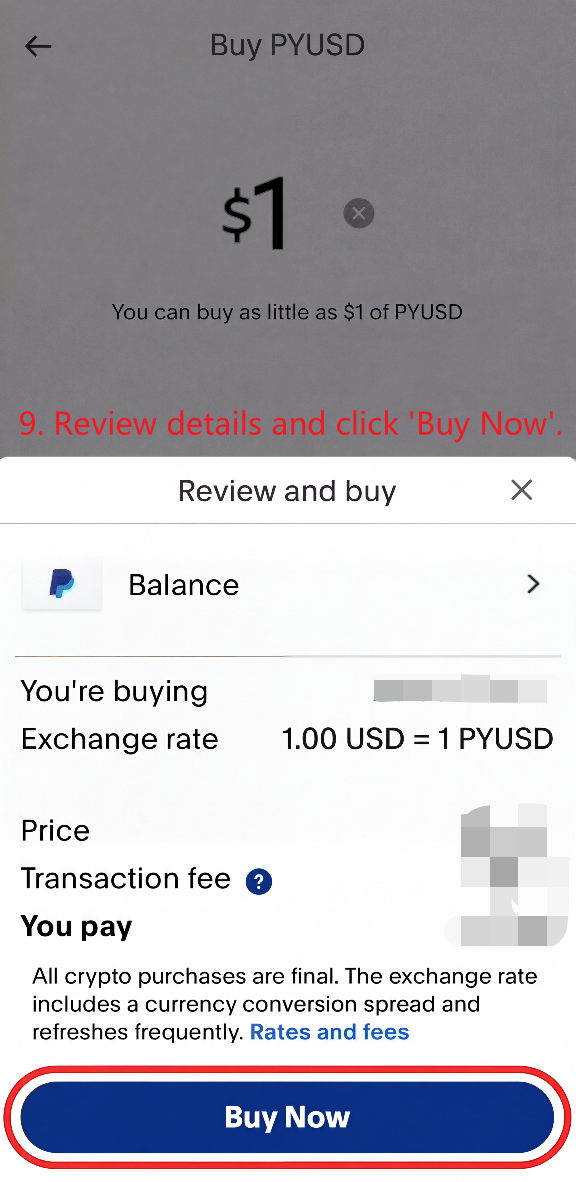
Überprüfen Sie die Transaktionsdetails und schließen Sie den Kauf ab.
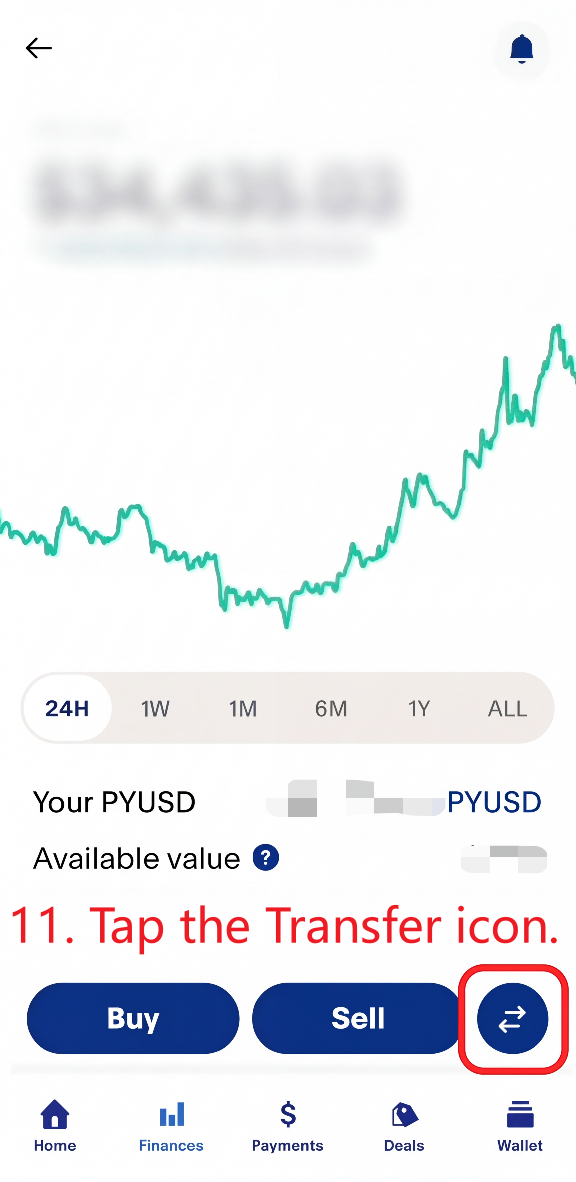
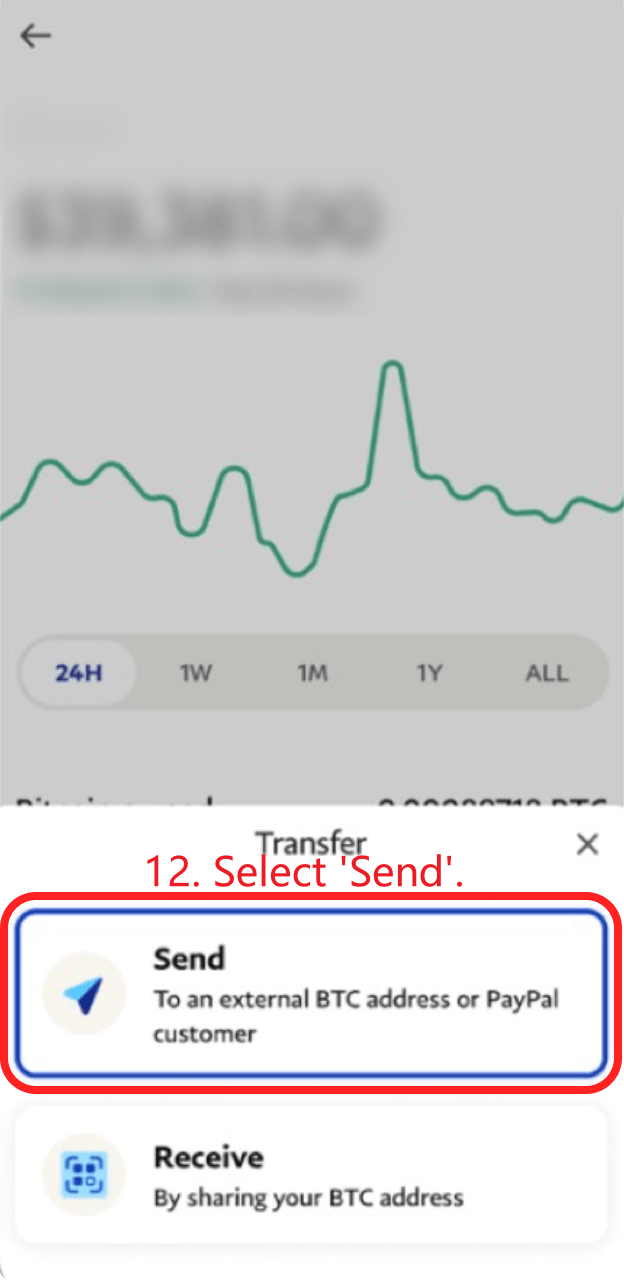
3. Tippen Sie auf das Übertragungssymbol und wählen Sie „Senden“ aus.
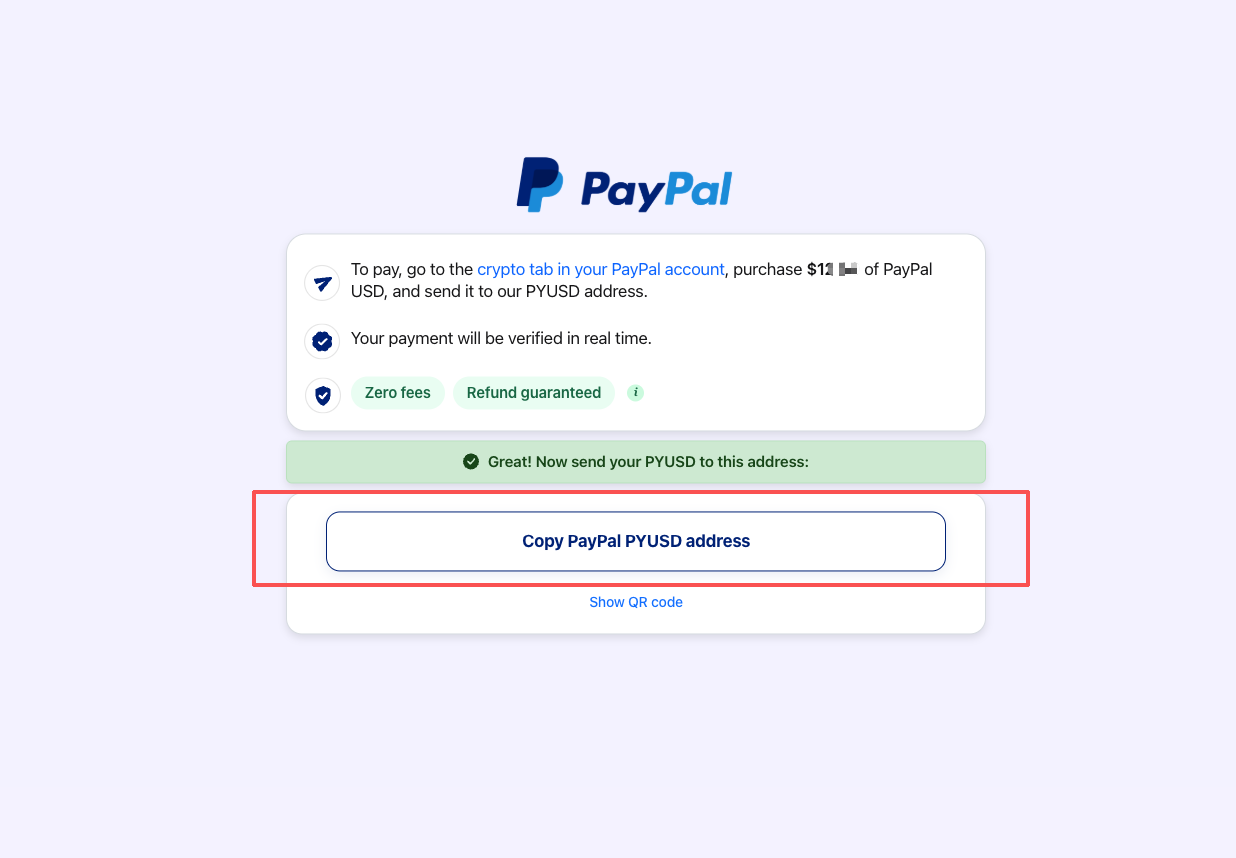
4. Kehren Sie zur Anleitungsseite des Händlers zurück und kopieren Sie die PYUSD-Adresse. Bitte bestätigen Sie außerdem, ob der auf der Seite angezeigte Betrag korrekt ist.
Die PYUSD-Adresse wird angezeigt, nachdem Sie auf „Weiter zu PayPal“ geklickt und einen Moment gewartet haben.
Geben Sie die Adresse nicht manuell ein und verwenden Sie keine alte Adresse erneut.
Wichtig: Prüfen Sie beim Kopieren der PYUSD-Adresse bitte die Ablaufzeit, die unten links auf der Seite angezeigt wird. Wenn die Zahlungsseite abgelaufen ist, schließen Sie sie bitte und kehren Sie zur Preisseite zurück. Klicken Sie anschließend auf „Mit PayPal PYUSD bezahlen“, um eine neue Zahlungsseite zu öffnen und eine neue PYUSD-Adresse zu erhalten.
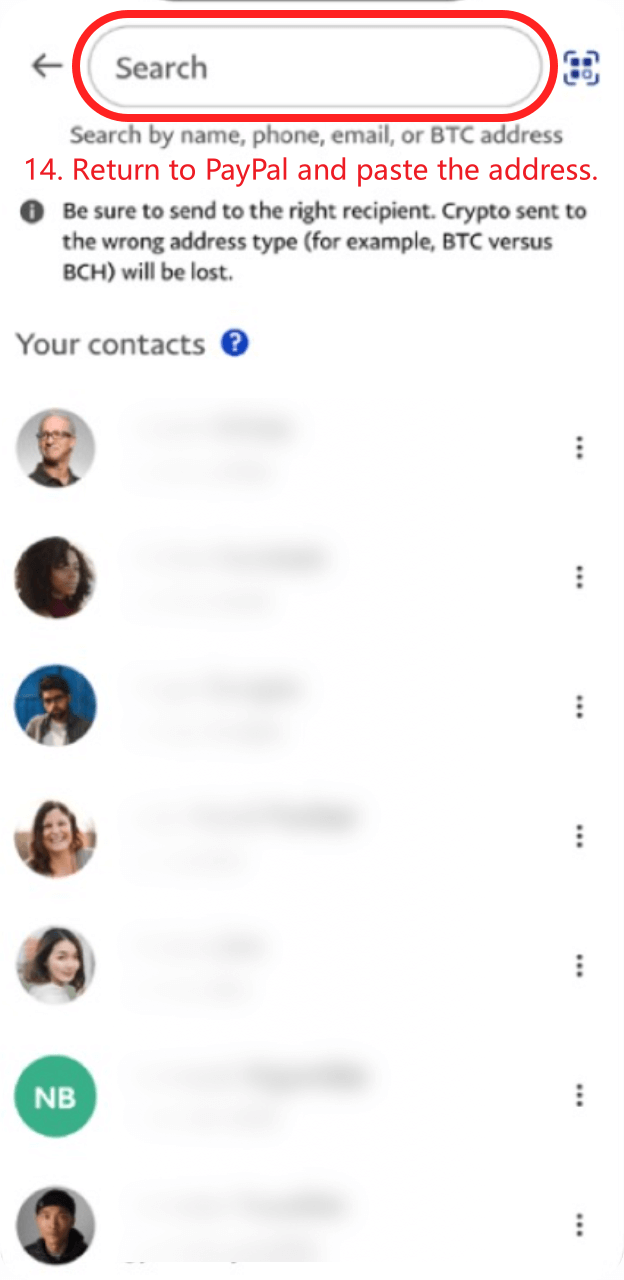
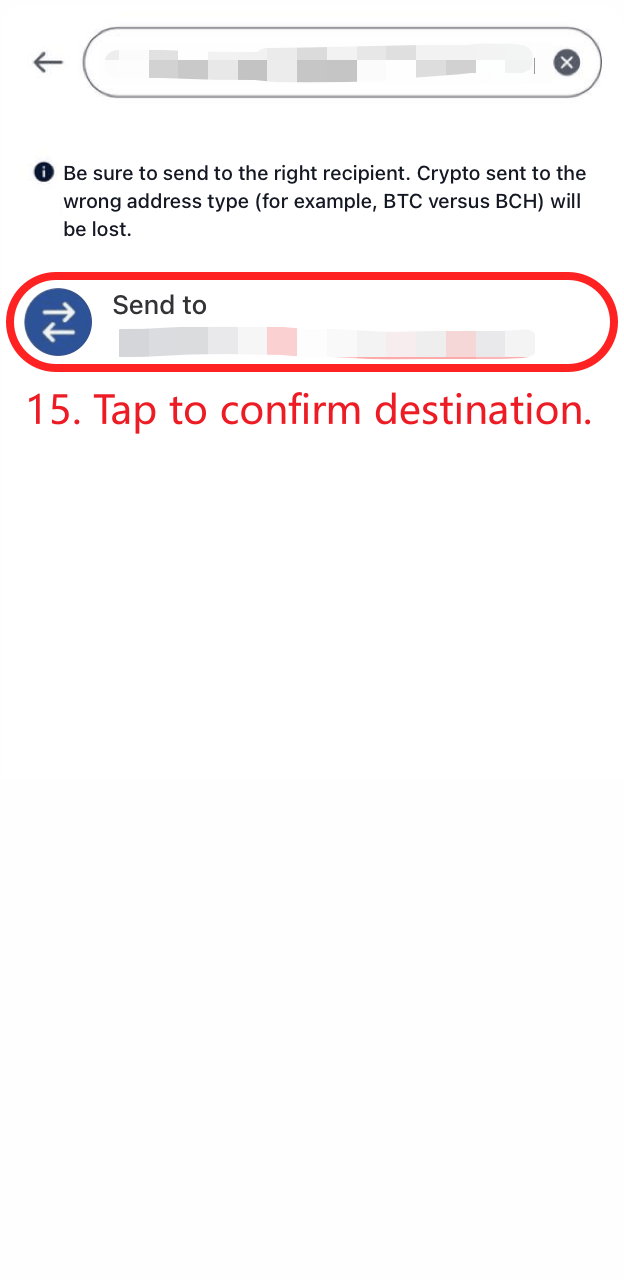
5. Kehren Sie zu PayPal zurück, fügen Sie die Adresse ein und tippen Sie anschließend auf „Ziel bestätigen“.
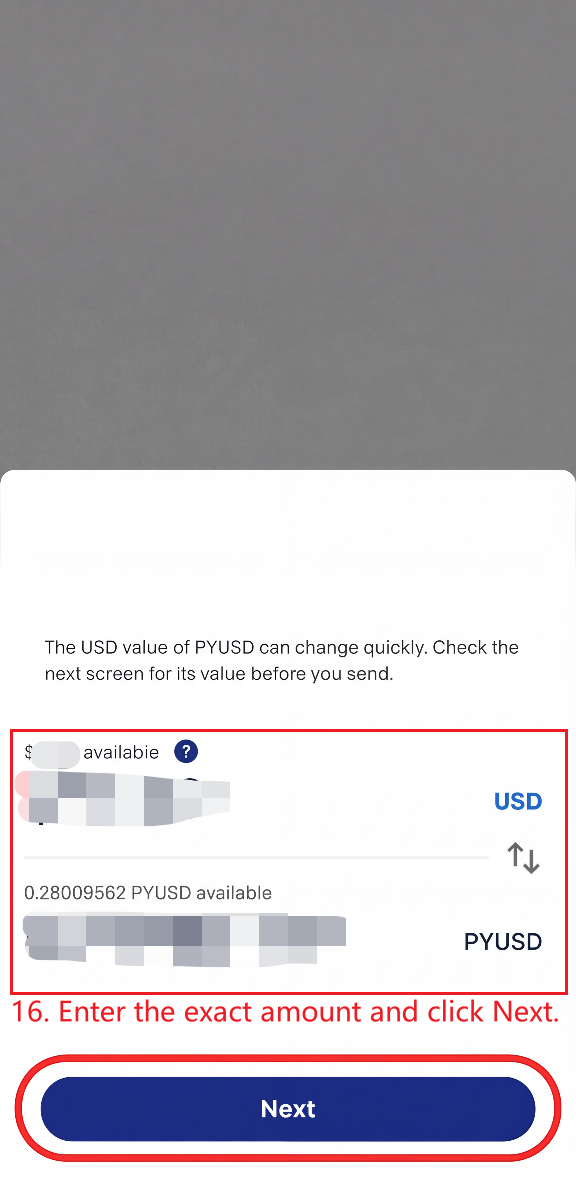
Geben Sie den exakten Betrag ein und klicken Sie auf „Weiter“. Klicken Sie auf „Jetzt senden“, um Ihre Zahlung abzuschließen!
Nach erfolgreicher Zahlung kann die Aktualisierung bis zu 2 Minuten verzögert sein.
Gehen Sie zu Pricing
Wenn Sie weitere Fragen haben, können Sie sich gerne an uns wenden. E-Mail: [email protected]